Work & Productivity·February 24, 2026
Answer Once. Help Forever. The HR Manager's Playbook.
TL;DR
Fifty PTO questions. Thirty benefits DMs. No lunch break. Here's the playbook to turn the HR handbook into a cited self-serve assistant and reclaim your day.
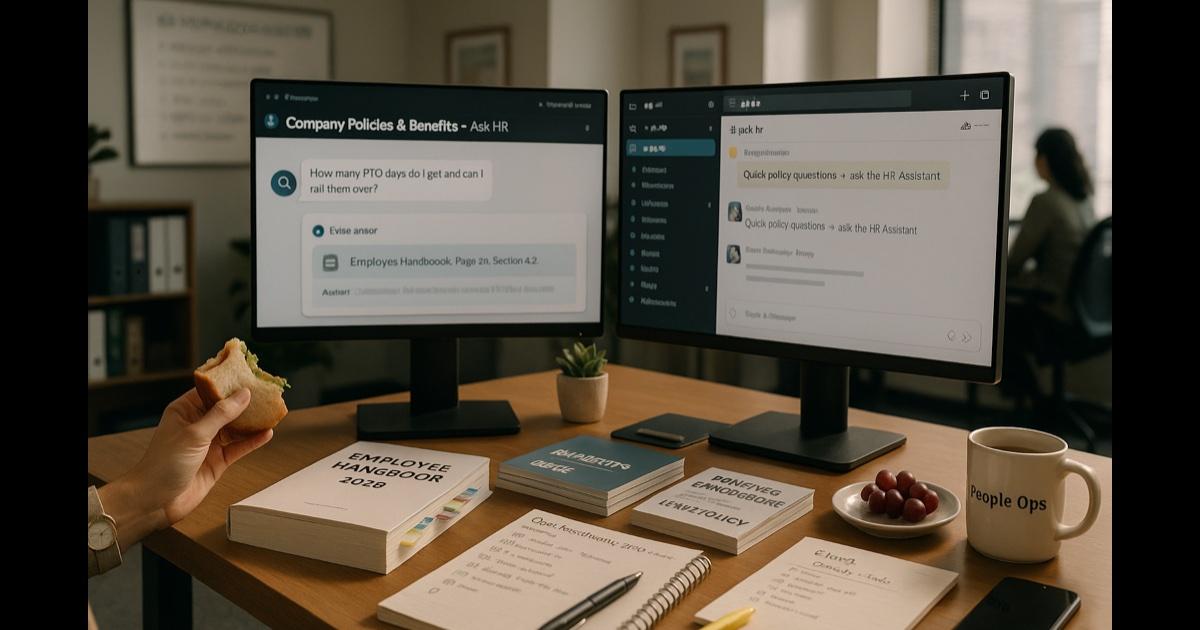
It's 11:47 AM. Your Slack shows 34 unread DMs. 19 of them are variations of the same four questions:
- "How many PTO days do I have left?"
- "Can I carry over vacation?"
- "When does open enrollment close again?"
- "Is next Friday a holiday?"
You have already answered each of these questions, today, multiple times. You have a handbook that contains all four answers. The handbook is 62 pages, lives in three slightly different places (the benefits portal, the company wiki, and that one Google Drive folder from 2021), and nobody reads it because why would they when they can just DM you.
You also have two actual HR problems on your desk. A complicated leave-of-absence scenario that needs thirty minutes of policy research and a conversation with legal. An onboarding plan for next month's cohort that hasn't been touched. And somewhere in your inbox, an IC whose manager said something that probably should have been a PIP conversation instead of an email.
You are, effectively, a full-stack help desk with a side gig in actual human resources strategy. You have not eaten lunch since Tuesday.
Every HR manager has this Wednesday. The job is half policy-judgment and half policy-lookup, and the lookup half has eaten the judgment half.
Here is what actually works.
The move: stop being the search engine
The mistake most HR teams make is treating the handbook as a reference document for HR, and a "just ask someone" document for everyone else. The handbook is actually great. It has the answers. The problem is it's the wrong interface.
Employees don't want a 62-page PDF. They want a one-sentence answer to "how many sick days do I have?". They want the sentence to be right. And they'd slightly prefer not to DM a human about it.
Your job is to write the policies and handle the judgment calls. Not to be the search UI on top of your own document.
The playbook
Step 1: upload the shelf (one-time, 30–60 min)
Open CorpGPT. Drop in:
- The employee handbook (current version).
- Benefits summary plan descriptions (SPDs) for medical, dental, vision, life, disability.
- 401(k) plan documents and the investment lineup summary.
- Leave policies — vacation, sick, parental, bereavement, jury duty, medical, sabbatical (whatever you offer).
- Expense and travel policies.
- Remote work and hybrid policies.
- Code of conduct, anti-harassment, DEI policies.
- Performance and review policies — the non-confidential bits.
- Onboarding materials — the welcome packet, first-week FAQ, IT setup guide.
- The top 20 employee FAQs (you know them by heart — write them up once).
Thirty to sixty minutes. The entire reference shelf is now in one searchable place, cited to the source.
Step 2: launch employee self-service
Create a Knowledge Base folder — "Company Policies & Benefits." Give your employees access (your admin can configure who sees what). Pin the link in:
- Your main HR Slack channel, at the top.
- The company intranet or wiki homepage.
- The new-hire welcome email, as the first link under "useful resources."
- Your email signature, for the next two weeks.
Employees ask questions there instead of DMing you. Every answer is cited back to the exact handbook page. They can verify, they can screenshot, they can move on. You never type "per section 4.2 of the handbook…" again.
Step 3: write plain-English one-pagers from the handbook
The handbook is legally correct. It's not readable. Open Knowledge Studio. From the handbook, generate:
- "PTO & Leave — the real summary" — one page in plain English.
- "Benefits at a glance" — one page covering medical, dental, vision, 401(k), stock, with links to the SPDs for detail.
- "New hire FAQ" — the 20 questions every new hire asks, answered cleanly.
- "Expense policy — what gets reimbursed and what doesn't" — one page, no footnotes.
- "Remote work — the actual rules" — one page, not eight.
Drop each one in the Knowledge Base. Ten minutes per one-pager. You've just written the content your handbook should have been.
Step 4: route the real HR work back to you
In your Slack HR channel, pin a message: "Quick policy and benefits questions: ask [CorpGPT Assistant link]. For anything sensitive — leave requests, accommodations, investigations, benefits-specific issues, manager escalations — DM me directly."
Suddenly your DMs are all the questions that actually need you. The volume is a fraction of what it was. The content is the HR work, not the HR lookup.
Step 5: open enrollment without losing your mind
Open enrollment used to eat three weeks of your life. Not this year.
- Upload the new plan summaries, rate sheets, and decision-support material as soon as you get them.
- Generate a comparison infographic of the plan options — deductibles, premiums, HSA vs. FSA, which plan is best for which situation.
- Generate a "what changed this year" one-pager.
- Generate an executive briefing for leadership on the cost/benefit implications.
- Open a dedicated enrollment chat — "Ask Open Enrollment" — pinned in Slack. Employees ask, get cited answers, and only escalate to you for the edge cases.
Your open-enrollment townhall deck is also a Knowledge Studio output against the same materials. It takes you fifteen minutes instead of a weekend.
The features doing the work
Digital Assistant (Nova) — employees ask plain-English questions, get cited answers from the handbook and policy library. The difference between "DM HR" and "ask the shared assistant."
Knowledge Studio — plain-English one-pagers, benefits infographics, open-enrollment decks, new-hire FAQs, manager policy summaries. Each output under 60 seconds, grounded in your actual handbook.
Intelligent Search — find any prior policy, memo, or leadership announcement by intent. "The parental leave update memo from last fall" → found.
My Tutor — new managers needing a 20-minute ramp on performance-review process, accommodations workflow, or termination policy. Structured, private, at their own pace.
Live Recording — record HR training sessions, benefits webinars, and manager enablement (with consent). Transcribe, summarize, make searchable. New hires hired after a training session get the training anyway.
Why this actually works
Three forces are doing the real work.
First, handbook-as-chat is the right interface. Employees have always wanted a quick answer, not a PDF. When they can chat with the employee handbook directly, the citation comes with the answer, so they stop asking twice. Your handbook finally gets read — in 15-second chunks, which is how it was always going to get read.
Second, citations change the trust dynamic. When an AI says "you have 15 vacation days" and links to the handbook page, employees trust it in a way they don't trust a DM from a coworker who "thinks it's 15." The citation is what separates this from a Slack rumor.
Third, your time rebalances toward the work only HR can do. Investigations. Accommodations. Tough conversations. Manager coaching. The strategic people-ops work that shows up in engagement scores. None of which happen when you're answering the PTO question for the fiftieth time.
What this can't do
Be honest about this.
CorpGPT does not run HR. It does not make leave decisions, accommodation determinations, termination calls, compensation decisions, or investigations. It does not read employee records, HRIS data, or personnel files. It does not replace your employment counsel for the edge cases.
It also should not be used for questions about specific individual employees — "what's Priya's PTO balance?" is an HRIS question, not a handbook question. Keep protected information in systems with proper access controls.
What it does is collapse the policy-lookup workflow from "ask HR, wait for HR, get a verbal answer, hope HR was right" to "ask the assistant, get a cited answer in seconds, move on." The lookup is grunt work. The judgment is still — and always — you.
The bottom line
Fifty PTO questions. Thirty benefits DMs. Zero lunch breaks.
Answer once. Help forever. Take an actual lunch break. Remember those?
Open CorpGPT. Upload the handbook. Pin the link. Go eat.
Keep reading
- Another Meeting to Recap the Last Meeting — how project managers record meetings and ship the summary, decisions, and action items in two minutes.
- Client Deck Tomorrow. It's 8 PM. — how consultants synthesize four reports into a draft deck and pressure-test the story before midnight.
- It's 9 PM and You're Not a Lawyer — how small business owners review vendor contracts, catch red flags, and sign smart without a legal team.
- 200-Page Contract at 4:45 on a Friday — how lawyers catch every trap in a weekend ambush and still make it to dinner.
- Tax Code Changed. Again. — how accountants translate new tax rules into client-ready answers with citations in seconds.
- Two Minutes Before the Client Call — how financial advisors sound sharp on every unscheduled portfolio call with cited research.
- Claim Denied. Find the Clause. — how insurance agents pinpoint the exact exclusion in an 80-page policy.
- Ten Minutes Between Sessions — how therapists keep their clinical library, CE, and psychoeducation handouts one prompt away.
- Beat the Binder: The Nurse's 12-Hour Shift Playbook — how nurses turn hospital formularies into instant cited answers at the bedside.
- Doctors: Stop Charting After Hours — how physicians finish documentation before lunch instead of after dinner.
- Answer 'Will I Qualify?' in Seconds — how mortgage brokers answer clients on the first call.
- Turn One Chapter Into a Week of Lessons — how teachers build a full week of materials from a single source chapter in one evening.
- Your Client Wants 30 Listings by Saturday — how real estate agents review 30 disclosure PDFs in one afternoon.
- Cram 400 Pages Before Morning — the student version of the same playbook.
- 200 Resumes. One Hour. — how recruiters surface signal from a 200-resume pile and walk into the hiring manager intake actually prepared.
- How Are You Different From [Competitor]? — how sales reps get instant cited battlecard answers mid-call and do the follow-up in five minutes.
- Brand Says Bold. Legal Says Careful. — how marketing managers ship campaigns on time with brand and legal both signed off.
- Seventeen Transcripts. One Deadline. — how writers turn a pile of interview transcripts into themes, pulled quotes, and a working outline.
- Ninety-Minute Interview. Show Notes by Tuesday. — how indie podcasters ship the entire post-production package from one upload.
- Sixty Videos In. Did I Already Post This? — how content creators turn their back catalog into a searchable content brain.
- Sixty Papers. One Lit Review. One Weekend. — how researchers turn a stack of PDFs into summaries, themes, citations, and gaps.
- Three Investor Meetings. Three Different Decks. — how founders tailor a pitch per investor.
- 47-Page Brief. Proposal Due Friday. — how freelancers turn dense briefs into proposals in hours.
- Your Kid Just Asked About Algebra. — how parents help with homework using the actual textbook.
- Medicare Sent a Letter. 12 Pages. Tiny Font. — how older adults turn any letter into a plain-English one-pager.
- See all use cases — HR managers, project managers, consultants, small business owners, therapists, nurses, doctors, insurance agents, advisors, accountants, lawyers, brokers, agents, teachers, students, and more.
- Plans & pricing — free tier included, no credit card required.