Work & Productivity·March 24, 2026
Another Meeting to Recap the Last Meeting: The PM's Playbook
TL;DR
Six meetings today. Zero decisions. Notes nobody reads. Here's the project manager's playbook to ship summary, decisions, and action items in two minutes.
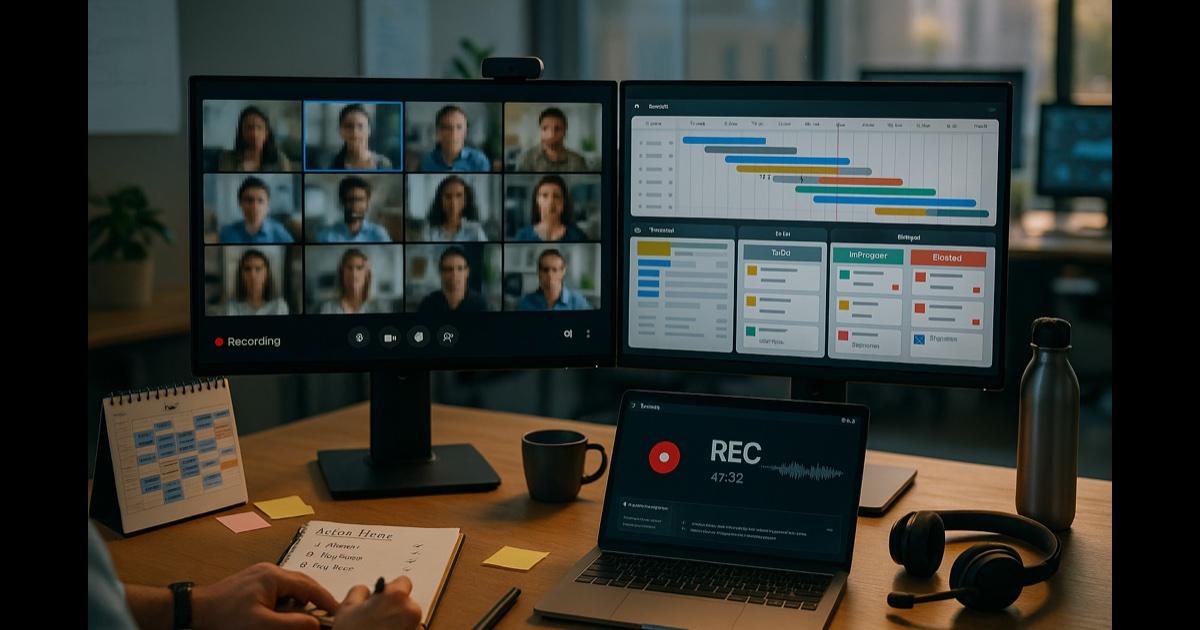
It's 4:47 PM. You just got out of the third hour-long meeting today. None of them produced a decision.
There was the standup that ran 22 minutes long because someone wanted to "loop back" on a thing from last sprint. The cross-functional sync where two teams had different definitions of "done" and you spent forty minutes on the same definition you spent forty minutes on last week. The status update where the engineering lead had to leave at minute 18 and now there are three follow-up meetings on the calendar to recap the part of the meeting they missed.
You have notes. They are in three different docs, two Slack DMs, and a Post-it on your laptop that says "FRIDAY — vendor question?? — Karen??"
You also have an inbox of seventeen people who weren't in the meetings and now want a recap. By tomorrow.
Every PM has this Wednesday. The job, in theory, is keeping the team moving toward outcomes. The job, in practice, is the meeting industrial complex — and writing the notes nobody will read for the meetings that nobody decides anything in.
Here is what actually works.
The move: stop taking notes during the meeting
The mistake every PM makes is splitting their attention between facilitating and note-taking. You can do one of those well. You cannot do both.
Stop taking notes. Record the meeting. Let the tool transcribe. Generate the summary, decisions, and action items in two minutes. Send. Move on.
You facilitate the meeting. The tool documents the meeting. Those are different jobs and they should never have been the same job.
The playbook
Before the meeting: get consent in the invite
Add one line to the meeting invite or the first slide:
"This meeting will be recorded for note-taking purposes. Transcript and summary will be shared with attendees."
Do this every time. Make it your default. Get explicit verbal consent at the top of the call. Don't record meetings with HR-sensitive, privileged, or off-the-record content — that's a rule, not a guideline.
During the meeting: hit record. Facilitate.
Start the recording. Run the meeting like a meeting — keep time, keep people on topic, ask clarifying questions, make sure decisions actually get made.
You are not writing things down. You are running the room. The tool is writing things down.
Right after: get the recap (2 min)
Drop the recording into CorpGPT. Open Knowledge Studio. Run, in order:
- Meeting summary — a clean one-paragraph TL;DR. What we discussed, where we landed, what's next.
- Decisions log — a list of every decision made, with the rationale and the timestamp from the discussion.
- Action items table — owner, action, deadline (if mentioned), supporting context.
- Open questions — things that came up but didn't get resolved. The next-meeting agenda writes itself.
Two minutes. Four artifacts. Each one is grounded in the actual transcript with timestamps you can verify.
Send (3 min)
Open the email or the Slack thread. Paste the summary. Add the decision log and action items. Hit send.
Total time from "meeting ended" to "team has the recap": five minutes. The old workflow took two hours and the recap landed Thursday morning, by which point three people had already asked "what was decided?" in Slack.
For the people who weren't there: the executive briefing
Open Knowledge Studio again. Generate an Executive Briefing version — three sentences, written for someone who has 30 seconds. That goes to your VP, the cross-functional partner who couldn't make it, and your own manager.
You look like you ran a tight meeting because you did, and now you also look like you communicated it cleanly because you did.
Beyond the one meeting: the project library
Build a per-project Knowledge Base
Every meeting transcript, every status update, every decision memo, every stakeholder doc — drop into a Knowledge Base folder per project. "Q2 Platform Migration — meetings & decisions."
Six weeks in, when somebody asks "wait, what did we decide about the third-party integration?", you don't go hunting through Slack. You ask Intelligent Search: "The decision about the third-party integration vendor — who decided, what was the rationale?". Cited answer, with the meeting it came from and the timestamp.
Generate the status report on demand
End of the week. Status report due. Open Knowledge Studio against the project's folder. Ask for:
- A weekly status update — accomplishments, in-progress, blockers, next week's plan, key decisions.
- A risk register update — any new risks raised in this week's meetings.
- A stakeholder one-pager — the version your sponsor will actually read.
Five minutes of review. Send. The thing that used to eat Friday afternoon is now a Friday-morning task you finish before lunch.
Pre-meeting prep, also automated
Before each recurring meeting, ask the Digital Assistant (Nova) against the project folder: "What did we decide last meeting? What action items were due this week? What's still open from two weeks ago that we never closed?"
You walk into the standup with the agenda already in your head. The standup runs in eight minutes instead of twenty-two.
The features doing the work
Live Recording — record any meeting (with consent). Auto-transcribed, searchable, replayable. The transcript is the source of truth for everything else.
Knowledge Studio — meeting summary, decisions log, action items table, executive briefing, status update, stakeholder one-pager. Each output under 60 seconds, grounded in the actual transcript.
Digital Assistant (Nova) — ask any question across the project's library. "What did we decide about X?" — cited answer, with timestamp.
Intelligent Search — find any prior meeting, doc, or decision by intent across all projects.
My Tutor — when you take over a project mid-flight, drop the prior meeting transcripts and decision memos into a Knowledge Base, run a 20-minute My Tutor session, and walk into your first standup actually knowing where things stand.
Why this actually works
Three forces are doing the real work.
First, transcripts make decisions traceable. The biggest source of meeting friction isn't the meeting — it's the disagreement two weeks later about what was decided. With a transcript and a timestamped decisions log, that disagreement evaporates. The decision is right there, with the rationale, and you can scrub to the exact 90-second clip if anyone wants to relitigate.
Second, summarization scales attention. You can run six meetings, get six clean recaps, and send six action-items emails before 5 PM. You couldn't do that by hand. Nobody can. The tool turns "I was in too many meetings to write good notes" into a non-issue.
Third, your project memory compounds instead of evaporating. Every Slack channel goes stale. Every Notion page gets stale. The transcripts and decision logs in your Knowledge Base never do — they're searchable forever, by intent, with citations. Your project's institutional knowledge finally lives somewhere it can be found.
What this can't do
Be honest about this.
CorpGPT does not run your meeting. It does not facilitate, push back on bad ideas, manage the loud person, or notice that the engineering lead is uncharacteristically quiet. It does not own the project. It does not make the strategic call when the room is split.
It also does not auto-join calls. You start the recording. You get consent. You decide which meetings get recorded and which ones don't. The HR conversation, the privileged legal review, the sensitive 1:1 — those are not for the tool, period.
What it does is take the entire note-taking-and-recap workflow and collapse it from two hours to two minutes. The grunt work. The judgment calls — facilitation, prioritization, escalation, the actual project management — that's still you.
The bottom line
Six meetings. Zero decisions. A backlog of recap emails. A team that's tired of meetings about the meetings.
Now: you facilitate, the tool documents, and the team gets the summary before they've finished closing their laptop. You spend zero hours on note-taking and four hours on actual project work.
Notes in two minutes. Not two days. Finally look like a pro — because you finally are one, instead of a stenographer with a calendar.
Open CorpGPT. Hit record on the next meeting.
Keep reading
- Client Deck Tomorrow. It's 8 PM. — how consultants synthesize four reports into a draft deck and pressure-test the story before midnight.
- It's 9 PM and You're Not a Lawyer — how small business owners review vendor contracts, catch red flags, and sign smart without a legal team.
- 200-Page Contract at 4:45 on a Friday — how lawyers catch every trap in a weekend ambush and still make it to dinner.
- Tax Code Changed. Again. — how accountants translate new tax rules into client-ready answers with citations in seconds.
- Two Minutes Before the Client Call — how financial advisors sound sharp on every unscheduled portfolio call with cited research.
- Claim Denied. Find the Clause. — how insurance agents pinpoint the exact exclusion in an 80-page policy.
- Ten Minutes Between Sessions — how therapists keep their clinical library, CE, and psychoeducation handouts one prompt away.
- Beat the Binder: The Nurse's 12-Hour Shift Playbook — how nurses turn hospital formularies into instant cited answers at the bedside.
- Doctors: Stop Charting After Hours — how physicians finish documentation before lunch instead of after dinner.
- Answer 'Will I Qualify?' in Seconds — how mortgage brokers answer clients on the first call.
- Turn One Chapter Into a Week of Lessons — how teachers build a full week of materials from a single source chapter in one evening.
- Your Client Wants 30 Listings by Saturday — how real estate agents review 30 disclosure PDFs in one afternoon.
- Cram 400 Pages Before Morning — the student version of the same playbook.
- Answer Once. Help Forever. — how HR managers turn the handbook into a self-serve, cited-answer assistant and finally take a lunch break.
- 200 Resumes. One Hour. — how recruiters surface signal from a 200-resume pile and walk into the hiring manager intake actually prepared.
- How Are You Different From [Competitor]? — how sales reps get instant cited battlecard answers mid-call and do the follow-up in five minutes.
- Brand Says Bold. Legal Says Careful. — how marketing managers ship campaigns on time with brand and legal both signed off.
- Seventeen Transcripts. One Deadline. — how writers turn a pile of interview transcripts into themes, pulled quotes, and a working outline.
- Ninety-Minute Interview. Show Notes by Tuesday. — how indie podcasters ship the entire post-production package from one upload.
- Sixty Videos In. Did I Already Post This? — how content creators turn their back catalog into a searchable content brain.
- Sixty Papers. One Lit Review. One Weekend. — how researchers turn a stack of PDFs into summaries, themes, citations, and gaps.
- Three Investor Meetings. Three Different Decks. — how founders tailor a pitch per investor.
- 47-Page Brief. Proposal Due Friday. — how freelancers turn dense briefs into proposals in hours.
- Your Kid Just Asked About Algebra. — how parents help with homework using the actual textbook.
- Medicare Sent a Letter. 12 Pages. Tiny Font. — how older adults turn any letter into a plain-English one-pager.
- AI meeting transcription — record or upload any meeting, get the transcript, summary, and action items.
- See all use cases — project managers, consultants, small business owners, therapists, nurses, doctors, insurance agents, advisors, accountants, lawyers, brokers, agents, teachers, students, and more.
- Plans & pricing — free tier included, no credit card required.