Creative·April 21, 2026
Ninety-Minute Interview. Show Notes by Tuesday. The Podcaster's Playbook.
TL;DR
90-minute interview. Show notes due Tuesday. Here's the indie podcaster's playbook to draft transcript, show notes, pull-quotes, and clip picks from one upload — a compressed audio file under 50 MB.
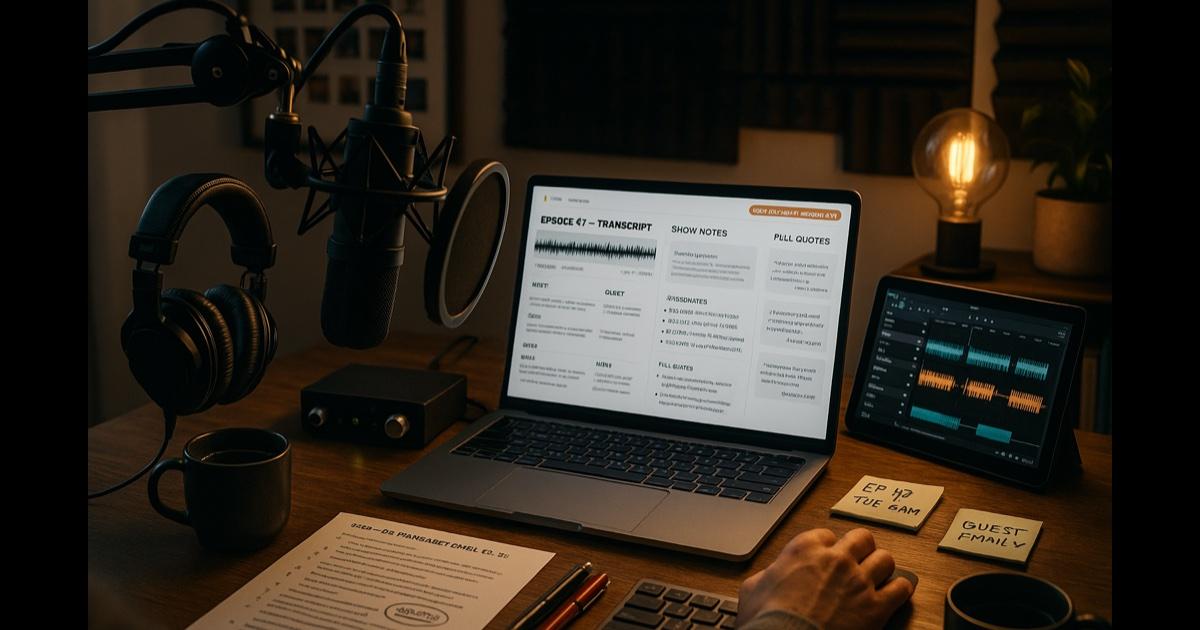
You just finished the recording. Ninety-three minutes. The audio is dry and clean. The guest was great. You closed the call, made coffee, sat down to write the show notes, and immediately found seven other things you needed to do.
It is now Friday. The episode publishes Tuesday morning at 6 a.m. Eastern. You have:
- One ninety-three minute audio file, untouched.
- A prep doc with the questions you actually asked, more or less.
- A guest bio they sent over the week before.
- Three or four moments you remember being great — but you don't remember exactly when in the recording they happened.
- A list in your phone titled "EDIT LATER" with twelve items from the last four episodes you have not, in fact, edited later.
The math of an indie podcast is brutal. The interview is the easy part. The publishing — show notes, transcript, chapter markers, pull-quotes for the newsletter, three social clips, an audiogram, the episode-page SEO, the guest-thank-you email with the assets they want — that's another four to six hours of grunt work, and it's the work that nobody hears. It's also why so many great shows ship two episodes and quit.
This is a sorting and packaging problem disguised as a creative one. The conversation is in the audio. The packaging is the bottleneck.
The move: turn one recording into the whole publishing package
Stop publishing audio. Start publishing a body of work — episode page, transcript, show notes, chapter markers, pull-quotes, social clips, newsletter, guest assets — all drafted from the recording, so you can check each one against the transcript.
You don't have to write any of it from scratch. You have to edit. Editing is faster than generating. Editing is also more fun.
The playbook
Friday afternoon: get the transcript
Open CorpGPT. Create a collection for the show in My Documents: "[Podcast Name] — Episode Archive." For this episode, drop in:
- The audio file (MP3, M4A, WAV and more, up to 50 MB per file — a 90-minute WAV is far bigger, while a 64 kbps MP3 of 90 minutes is about 43 MB) — CorpGPT transcribes it with speaker labels.
- The prep doc with your intended questions.
- The guest bio.
- The guest's relevant prior work if any (their book, article, prior podcast appearances) — gives the tool context for the references the guest made off-script.
If you already used a transcription service, just upload that transcript instead — or, if the episode is on YouTube, add the video link and paste its transcript into the same sheet (how the YouTube summarizer works). Either way, you go from "I have an audio file" to "I have a searchable, cited episode" without retyping a word.
Friday evening: generate the entire publishing package
Tick the episode in the Sources pane. Make a Summary from the Make pane, then ask Chat to draft the rest. In order:
- Episode summary — the Summary, then ask Chat for 100, 250, and 500 word versions. (You'll use all three: Apple Podcasts, episode page, newsletter.)
- Show notes — bulleted, formatted for Spotify and Apple. Include guest bio, key topics, links mentioned in the conversation, and a "more from the guest" section.
- Chapter markers — natural conversation breaks with short titles and the line each one starts on. Find those lines in your audio editor, add the times, and paste into the chapter file or YouTube description.
- Pull-quotes sheet — the 8-12 best lines Chat finds, with the transcript named under the answer. Check who said each one in the transcript view — Chat reads the plain text, without the speaker labels.
- Three social clip recommendations — moments worth pulling for audiograms, with the opening and closing lines and a one-line caption suggestion.
- Newsletter draft — your voice, episode framing, two or three pull-quotes, a couple of links, the CTA. Edit it into your voice; don't ship it raw.
- Episode page meta — SEO title, meta description, three keyword groups, FAQ section if relevant.
- Guest thank-you email with the assets package (the transcript file, pull-quotes, suggested social copy for the guest to use).
What you have: a draft package to edit, not a blank Word document.
Saturday morning: pressure-test before publish
Open Chat. Interrogate the episode the way a good editor would:
- "What was the strongest single argument the guest made? Quote it with the citation."
- "Where did the guest contradict themselves, even slightly?"
- "What references — books, papers, people, projects — did the guest mention? List with citations."
- "What's the moment that would surprise a listener? The one I'd want in the trailer."
- "If a hostile listener wanted to misquote this, where's the most-likely misquote risk? Cite the moment so I can add context in the show notes."
Chat reads the transcript without speaker labels, so it can mix up host and guest — check who said each line in the transcript view.
This is the work of a thoughtful producer that you usually don't have. Now you have a first pass of it, on every episode.
Saturday afternoon: clip the audiograms
You have your three clip picks from Chat, each with its opening line. Open your audio editor. Find those lines. Cut the clips. Drop them into your audiogram tool. The captions are pre-written. The clips are pre-chosen. Now the episode has three clips and captions to schedule.
Sunday: edit, schedule, breathe
You edit the show notes into your voice. You spot-check the pull-quotes against the transcript (open it from the source list). You write the personal note at the top of the newsletter — the one part that has to be you. You schedule everything: the episode upload to your host, the social posts to the buffer, the newsletter to send Tuesday at 8 a.m. You go outside.
Publish day: the episode goes out on your host's schedule
Your host pushes to the directories on the schedule you set, and the newsletter and the audiograms go out when you scheduled them. The guest gets the thank-you email with their assets package.
You shipped the episode package you edited, from drafts CorpGPT made from the transcript.
Beyond the one episode
Build a searchable archive of every episode you've ever made
Keep dropping every transcript, every show notes file, every newsletter into the same collection. You're now sitting on an archive that compounds. When a guest says "didn't you have someone on a year ago who talked about this?" — ask Chat; describe the moment and Chat searches for the passages that best match and names the document they're in. When a journalist emails asking "has anyone discussed X on the show?" — Chat searches the transcripts and names the episode it found.
Three years of your podcast becomes a queryable corpus. Your show is no longer a stack of files. It's a body of work.
Cross-episode pull-quotes for the year-end episode
End of year, ask Chat: "Find strong quotes on [theme] across these episodes. Include citations." Chat reads the passages that best match, not every episode, so run it a season at a time — and check who said each line in the transcript view. Your year-end roundup comes together fast, in your voice, with the receipts attached. Want a between-seasons bonus drop? Spin those highlights into a quick audio overview with the AI podcast generator and give listeners something to chew on while you're off the air.
Use My Courses to prep for the next interview
Guest sends you their book the night before. You haven't read it. My Courses turns it into a short structured course — each module eight steps, from a summary to a quiz, on the key arguments and where this guest is provocative. Then ask Chat what other thinkers the book is in conversation with and the questions a smart host would ask. You walk into the recording sounding like you've spent a week with the material.
Use the Make pane for the pitch deck
Your show is two years old. You want to pitch a network. Make a Slide deck from the episodes you tick; it draws on the passages that best match — recurring themes, top guests, listener-quote pulls, and a "what makes this show different" statement (add your download stats as a spreadsheet if you want trends in it).
The features doing the work
Audio upload and Record audio — upload the episode's audio (up to 50 MB per file); transcribed with speaker labels. Record audio uses your device's microphone and has the same 50 MB cap (roughly 50 minutes), so for a full episode upload a compressed MP3 or M4A. With consent.
The Make pane — Summary, Topic Modeling, FAQ, Slide deck and Podcast, all from one upload; results land in Things I've made and list the episode they were built from.
Chat across everything — the editor you don't have. Drafts show notes, chapter breaks, pull-quotes, clip picks, newsletter drafts, episode-page SEO, and guest thank-you notes. Cited cross-episode questions. Help finding each quote in the transcript, so you can check it there. Describe the moment, the guest, the reference, the running joke from three years of episodes, and Chat searches for the passages that best match and names the document they're in.
My Courses — a structured course on a guest's body of work the night before the interview.
Why this actually works
Three quiet forces are doing the work.
First, the bottleneck on every indie podcast is post-production packaging, not the show itself. Most great podcasts die at episode 17 not because the host got bored of recording but because the host got bored of writing show notes at 11 p.m. Cut that work to a fraction and the show survives long enough to find its audience.
Second, every episode of an interview podcast is a small body of expertise — one or two hours of someone who knows something deeply. Treating that recording as a one-shot file is a waste. Treating it as a primary source you can query, repurpose, and revisit is how a podcast turns into a flywheel.
Third, citations to the transcript are the cleanest accountability mechanism a podcast has. If you say a guest said something, and you checked the line in the transcript before it went in the show notes, you're operating with the same clean-conscience hygiene a good journalist does. That habit is worth keeping.
What this can't do
Be honest.
CorpGPT does not record the episode for you. It does not know which guest is the right guest. It does not write your cold open or your sign-off in the voice of you. It does not have the chemistry. It does not laugh at the joke at the right moment. It does not have the editorial taste to know the show idea that's actually working from the one your friends are too kind to tell you isn't.
It is, again, a very good production assistant. The show is still your show.
And: always disclose AI-assisted production to your guests, and keep recordings/transcripts within the consent your guests agreed to. That's not a legal opinion — it's basic professional respect, and it's what keeps guests willing to come back.
The bottom line
Ninety-minute interview. Draft show notes, the transcript, pull-quotes, chapter markers, three clip picks, a newsletter draft and the guest assets package — all from the same recording, so you can check each one against the transcript.
You edit, you check, you publish.
Open CorpGPT. Drop the audio. Ship the episode.
Keep reading
- Seventeen Transcripts. One Deadline. — how writers turn interview transcripts into themes, pulled quotes, and a working outline.
- Brand Says Bold. Legal Says Careful. — how marketing managers draft campaigns and prepare them for brand and legal review.
- How Are You Different From [Competitor]? — how sales reps prepare cited battlecard answers before the call.
- Prep the Hiring-Manager Intake — how recruiters turn the JD and scorecard into a reading checklist and prep the intake.
- Answer Once. Help Forever. — how HR managers turn the handbook into cited answers.
- Another Meeting to Recap the Last Meeting — how PMs ship meeting recaps.
- Client Deck Tomorrow. It's 8 PM. — how consultants synthesize four reports into a draft deck.
- It's 9 PM and You're Not a Lawyer — how small business owners review vendor contracts.
- Ten Minutes Between Sessions — how therapists study their training material and CE and draft psychoeducation handouts, with client information kept out.
- Beat the Binder: The Nurse's 12-Hour Shift Playbook — how nurses study unit policies with cited answers.
- Eighty Pages of Policy. Find the Clause. — how insurance agents find a clause in a long policy form and read what it says.
- Two Minutes Before the Client Call — how financial advisors prepare for client calls from the fund documents they uploaded.
- Tax Code Changed. Again. — how accountants translate new tax rules.
- 200-Page Contract at 4:45 on a Friday — how lawyers find the clauses that matter in a weekend ambush.
- Doctors: Study Your Guidelines, Draft the Admin — how physicians study the guidelines they uploaded and draft the non-patient admin, away from patient care; answers name the source document, and the page, slide or section when CorpGPT can place it.
- Find the Guideline Behind 'Will I Qualify?' — how mortgage brokers find the guideline section behind a client's question and read it; the lender makes the call.
- Turn One Chapter Into a Week of Lessons — how teachers build a full week of materials from one chapter.
- Your Client Wants 30 Listings by Saturday — how real estate agents review 30 disclosure PDFs.
- Cram 400 Pages Before Morning — the student version of the same playbook.
- Sixty Videos In. Did I Already Post This? — how content creators turn their back catalog into a searchable content brain.
- Sixty Papers. One Lit Review. One Weekend. — how researchers turn a stack of PDFs into summaries, themes, citations, and gaps.
- Three Investor Meetings. Three Different Decks. — how founders tailor a pitch per investor.
- 47-Page Brief. Proposal Due Friday. — how freelancers turn dense briefs into a first proposal draft.
- Your Kid Just Asked About Algebra. — how parents help with homework using the actual textbook.
- Medicare Sent a Letter. 12 Pages. Tiny Font. — how older adults turn any letter into a plain-English one-pager.
- See all use cases — podcasters, writers, marketers, sales reps, recruiters, HR, PMs, consultants, small business owners, therapists, nurses, doctors, insurance agents, advisors, accountants, lawyers, brokers, agents, teachers, students, and more.
- Plans & pricing — a free Trial to start, no credit card required.
Ready to try it yourself?
Upload any document and see it in action. Free to start, no credit card.
Start My Free Workspace