Work & Productivity·April 6, 2026
Tax Code Changed. Again. The Accountant's Playbook.
TL;DR
Tax code changed again. Forty clients, one question. Here's the accountant's playbook to read the IRS pub once and answer clients from it, with the pub named as the source.
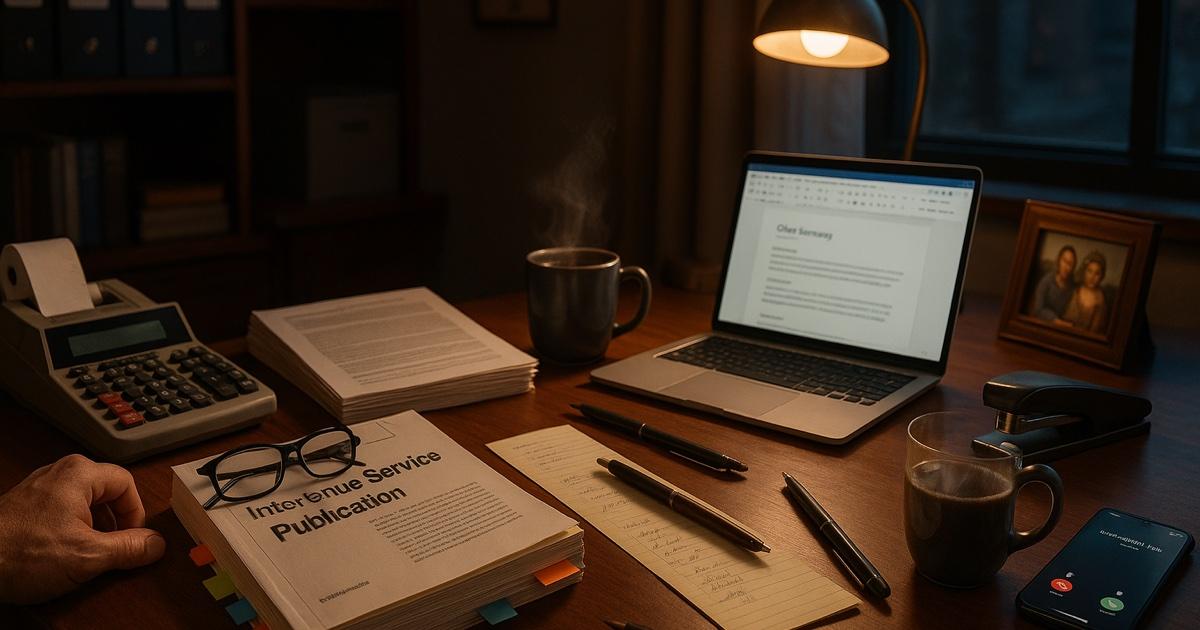
It is 6:47 PM. Your phone is ringing. It's the third "quick question" of the day.
"Hey — so I saw something about the new bonus depreciation rules on LinkedIn. Does that apply to my rental? Also, what's this I'm hearing about the R&D credit? And — sorry, one more — the SALT cap, did that actually change or is that just what my brother-in-law thinks?"
You know where most of these answers live. Somewhere in the 312-page IRS publication you downloaded last week. Or in the Rev. Proc. that came out Tuesday. Or in the state conformity memo your research group sent around. The answers exist. Finding them in the fifteen minutes before your next call, not so much.
Every tax season. Every time the tax code changes — which is every year now — your week becomes this. Read the regs. Translate the regs. Explain the regs. Bill for the regs. Try to eat something between calls.
Here is what actually works.
The move: stop reading the pub twice
The mistake every CPA makes during tax season is re-reading the same IRS pub for every client who calls. Client A asks about §179 expensing. You find it. Client B calls forty minutes later and asks about §179 for a different asset class. You go find it again. Client C calls Monday and asks the same question Client A asked on Thursday. You go find it a third time.
You already read the document. You shouldn't have to keep finding the answer.
Upload it once, then chat with the tax code like it's a document — ask it anything, with the pub listed as a numbered source under the answer.
The playbook
Once: build your research library (one time)
Open CorpGPT. Upload the sources you actually use:
- The relevant IRS publications (Pub 17, Pub 535, Pub 527, Pub 946 — whichever ones you reach for).
- The new Rev. Procs. and Notices from this year.
- Your state's DOR publications and conformity guidance.
- Your firm's internal tax memos from partners who've already worked through the hard cases.
- Any paid research PDFs — only material you have the right to use.
This is a one-time lift. From now on, every research question you have lives in one searchable place.
On every client call: ask Chat in plain English
Client says: "Can I expense the new HVAC in my rental?"
You type into Chat: "§179 expensing for HVAC in residential rental property — is it allowed, what's the cap, and what's the effective date?"
Chat answers, with the pub listed as a numbered source under the answer: "HVAC placed in service after 12/31/2017 qualifies for §179 expensing on nonresidential real property. Residential rental property does not qualify for §179..."
You tap the pub in the source list (a PDF opens at the cited page), check the paragraph, and read it back to the client in English.
No flipping. No "let me get back to you." No skimming a pub you already skimmed last week.
For the new rule: interrogate it
The Rev. Proc. landed Tuesday. It's fifty-four pages of cross-references and legislative history. Your inbox has eleven clients asking what it means for them.
Upload the Rev. Proc. once. Ask Chat:
- "What's the effective date, and does it apply retroactively?"
- "Who does this apply to, and who's excluded?"
- "Give me three examples of situations this changes."
- "How does this interact with the existing §199A rules?"
- "Is there a de minimis threshold?"
- "What's the transition relief, if any?"
Ten answers that name their sources — to read before you advise clients on a rule that came out last week.
For the client: turn the answer into a handout
Open the Make pane with the Rev. Proc. ticked and make:
- Summary — a plain-English client explainer with no jargon. Download it and email it to affected clients before they call.
- FAQ — likely client questions with answers. Post it on your firm's Client Portal.
- Info Graphics — a visual version of the decision tree: does this apply to you? If yes, what changes?
- Executive brief — the short partner-ready version for your Monday meeting.
Four drafts to review before they go out, each listing the Rev. Proc. it was built from — instead of a senior associate's full afternoon.
For the firm: make the research findable
Drop everything — the pub, the Rev. Proc., your memos, the summaries — into a collection in My Documents labeled "2026 Tax Updates." Next month when the next associate asks, you don't re-research. You ask Chat — describe what you're looking for, by intent, not exact keyword — and Chat searches for the passages that best match and names the document they're in. You send them the answer, and name the pub yourself when you do.
Next year, same thing. The research compounds instead of vanishing into somebody's Downloads folder.
The features doing the work
Chat across your library — plain-English Q&A against your uploaded regs and pubs; Chat names the source document, and the page, slide or section when CorpGPT can place it. Answers you can check. Describe what you're after — "that memo about the §199A carve-out — had a table comparing pre- and post-2025" — and Chat searches for the passages that best match and names the document they're in.
Make pane — one source, many formats. Client summaries, FAQs, infographics, Executive briefs, mind maps of a Rev. Proc.
My Courses — for learning the new rule before Monday. A course built from the Rev. Proc. — eight steps per module, from a summary to a quiz — with no billable hours lost.
Record audio — record an in-person client meeting (with consent, and no SSNs or account numbers said aloud) with your device's microphone, or your own notes right after a call. A recording is capped at 50 MB (roughly 50 minutes), and the Transcript tab shows who spoke. You make the Action items, and a Summary you download and send to the client. No more "what did I tell them last month?"
Why this actually works
Three forces are doing the real work.
First, plain English beats keyword search. Tax pubs are not indexed the way your clients think. Your client asks "can I deduct the HVAC?" and the pub calls it "placed-in-service real property improvements under §179(f)." Chat bridges that gap.
Second, citations make it checkable. Chat names the source document, and the page, slide or section when CorpGPT can place it. You verify before you advise. Because an answer drawn from your files names its source, you can check it — no "the AI said so." The IRS would also like you to cite your source, as it happens.
Third, research stops vanishing. The single biggest productivity leak in a tax firm is the same research being redone by three associates and a partner who all ran into the same question in a different week. Once it's in your collection, it's done once, forever.
What this can't do
Be honest about this.
CorpGPT is not a tax advisor. It does not file returns. It does not make §1031 elections or §338(h)(10) calls. It does not know your client's full fact pattern, their risk tolerance, or the state DOR agent they angered in 2019.
What it does is eliminate the research bottleneck. The part where a real CPA question becomes three hours of flipping through pubs. The lookup, the summarization, the first-draft client explainer — that's grunt work. The judgment call, the election, the signed return — that's still you.
You are the CPA. The tool is the best-prepared associate you ever had, minus the billable hours.
The bottom line
Tax code changed. Again. Your client wants the summary. Yesterday.
Answer the "quick question" from the source. Email clients the plain-English explainer before they call. Walk into the partner meeting with a short briefing on the new Rev. Proc.
Advise fast. Bill confident. Explain deductions without the glazed-over eyes.
Open CorpGPT. Upload the pub. Take the next call.
Keep reading
- 200-Page Contract at 4:45 on a Friday — how lawyers find the clauses that matter in a weekend contract ambush.
- Find the Guideline Behind 'Will I Qualify?' — how mortgage brokers find the guideline section behind a client's question and read it; the lender makes the call.
- Doctors: Study Your Guidelines, Draft the Admin — how physicians study the guidelines they uploaded and draft the non-patient admin, away from patient care; answers name the source document, and the page, slide or section when CorpGPT can place it.
- Turn One Chapter Into a Week of Lessons — how teachers build a full week of materials from a single source chapter.
- Your Client Wants 30 Listings by Saturday — how real estate agents review 30 disclosure PDFs.
- Cram 400 Pages Before Morning — the student side of the same playbook, the night before an exam.
- Two Minutes Before the Client Call — how financial advisors prepare for client calls from the fund documents they uploaded.
- Eighty Pages of Policy. Find the Clause. — how insurance agents find a clause in a long policy form and read what it says.
- Beat the Binder: The Nurse's 12-Hour Shift Playbook — how nurses study unit policies, protocols and teaching handouts with cited answers — no patient data, no dosing calls.
- Ten Minutes Between Sessions — how therapists study their training material and CE and draft psychoeducation handouts, with client information kept out.
- It's 9 PM and You're Not a Lawyer — how small business owners read vendor contracts, find the clauses to question, and know when to call a lawyer.
- Client Deck Tomorrow. It's 8 PM. — how consultants synthesize four reports into a draft deck and pressure-test the story.
- Another Meeting to Recap the Last Meeting — how project managers turn meeting recordings into the summary, decisions, and action items.
- Answer Once. Help Forever. — how HR managers answer handbook questions with cited answers.
- Prep the Hiring-Manager Intake — how recruiters turn the JD and scorecard into a reading checklist and prep the intake; the resumes and the decisions stay with the recruiter.
- How Are You Different From [Competitor]? — how sales reps prepare cited battlecard answers before the call and draft the follow-up after it.
- Brand Says Bold. Legal Says Careful. — how marketing managers draft campaigns and prepare them for brand and legal review.
- Seventeen Transcripts. One Deadline. — how writers turn a pile of interview transcripts into themes, pulled quotes, and a working outline.
- Ninety-Minute Interview. Show Notes by Tuesday. — how indie podcasters draft the post-production package from one episode's transcript.
- Sixty Videos In. Did I Already Post This? — how content creators turn their back catalog into a searchable content brain.
- Sixty Papers. One Lit Review. One Weekend. — how researchers turn a stack of PDFs into summaries, themes, citations, and gaps.
- Three Investor Meetings. Three Different Decks. — how founders tailor a pitch per investor.
- 47-Page Brief. Proposal Due Friday. — how freelancers turn dense briefs into a first proposal draft.
- Your Kid Just Asked About Algebra. — how parents help with homework using the actual textbook.
- Medicare Sent a Letter. 12 Pages. Tiny Font. — how older adults turn any letter into a plain-English one-pager.
- See all use cases — accountants, lawyers, brokers, agents, doctors, teachers, students, and more.
- Plans & pricing — a free Trial to start, no credit card required.
Ready to try it yourself?
Upload any document and see it in action. Free to start, no credit card.
Start My Free Workspace