Business·April 21, 2026
How Are You Different From [Competitor]? The Sales Rep's Playbook.
TL;DR
Mid-pitch objection, prospect leaning in, blank brain. Here's the sales rep's playbook to turn battlecards into cited answers — and sound sharp.
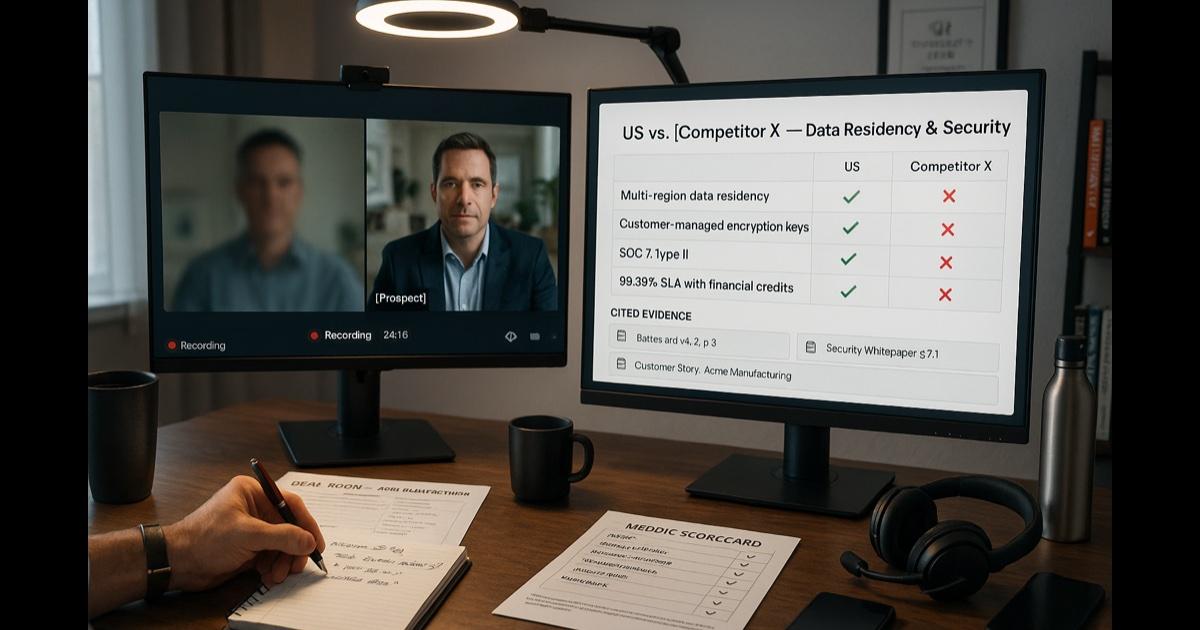
It's 2:14 PM on a Thursday. You're on a discovery call with a buyer who actually has budget. The energy is good. You've nailed the qualification. The use case is real.
Then they ask: "How are you different from [Competitor X]?"
You know there's a battlecard. You wrote part of it. It's in a Notion page somewhere. There's also a more recent one your sales engineer made for the FedRAMP angle that has the exact comparison you need on data residency. There's a Slack thread from last quarter where the VP of Product clarified the API rate-limit comparison once and for all. There's a Gong call from October where another rep handled this exact objection beautifully.
All of this lives in twelve different places. None of which you can navigate to mid-sentence without looking like you're navigating to twelve different places.
So you say: "Great question — there are a few areas where we really differentiate, but the biggest one is..." and you ad-lib something that's mostly true. The energy of the call drops half a notch. They're not sure if you knew or you're guessing. You're not sure either.
Every rep has had this Thursday. The information exists. It's just not where you need it, when you need it.
Here is what actually works.
The move: stop memorizing, start querying
The mistake most reps make is trying to internalize the entire enablement library. You attended the kickoff. You sat through the battlecard rollout. You took notes during the win/loss review. You read the new product launch deck. And when the question comes on a call, you can recall about 30% of any of it under pressure.
That's not a memory problem. That's a retrieval-system problem. The fix is not "study harder." The fix is putting your enablement library somewhere you can chat with your product docs and ask across the files in plain English before the call.
The playbook
Week one: upload the entire enablement shelf (one-time)
Open CorpGPT. Drop in:
- All current battlecards — by competitor, by industry, by use case.
- Product sheets and one-pagers — the latest version, not the 2023 one that's still in three slide decks.
- The pitch deck and demo script.
- ROI calculator narratives — the words you'd say to defend the number.
- Customer case studies and reference accounts — by industry and use case.
- Win/loss memos — sanitized.
- Pricing and packaging guides — the approved talk track, not just the price grid.
- Security and compliance summaries — whichever certifications your product holds.
- Past Gong / Chorus call transcripts of objection handling done well, if your company shares them.
- The "objection handling FAQ" that lives in three different documents — consolidated here.
One sitting. Your scattered enablement library is now one searchable place.
Before the call: ask Chat
You know the question is coming: every buyer asks how you're different. Before the call, open Chat. Type:
"How are we different from [Competitor X] on data residency? Pull from the most recent battlecard."
An answer comes back with the battlecard it drew on named under it. Open that source and read the section, so you know it before the buyer asks. On the call, you add the human texture — "...and the reason that matters for your team is..." — and that's where your value as a rep is, not in memorizing battlecard bullets.
You answer from the current battlecard, checked against its source. Answers can be wrong, so that check is the bar.
Right after the call: do the follow-up while it's fresh
You used to send the follow-up email at 6 PM, after you ran out of energy to do it well, and it was always a generic recap.
Now: as soon as the call ends, add the call's audio recording or transcript (the audio file your call tool saved — MP3, M4A…, up to 50 MB; audio, not video files — or your Gong/Chorus transcript export) to CorpGPT. Record audio in the app uses your device's microphone, so it's for meetings in the room, not the far side of a video call. From Chat and the Make pane, get:
- Follow-up email draft (ask Chat) — recap of pain points, decision criteria you uncovered, agreed next steps, dates.
- MEDDIC / MEDDPICC scorecard (ask Chat to draft it) — what you have, what's missing, who else needs to be involved.
- Mutual action plan (ask Chat, or make Action items) — the two-column joint timeline you keep meaning to send.
- Internal call notes for your CRM (make a Summary) — the structured version of "how did the call go?"
A review, not an evening of writing. You review for accuracy and voice, edit anything that's off, send. You walked into your next call already done with the post-mortem of the previous one. Fridays don't dissolve into "catch up on call notes."
For deal-specific prep: build a deal collection
Big deal coming up. Create a collection for the account in My Documents. Drop in:
- The discovery call transcripts.
- The 10-K or annual report (public companies).
- Their RFP and any procurement docs they've shared.
- LinkedIn profiles of the key buying-committee members (sanitized).
- Any internal memos or strategy docs you have on the account.
Before the next call, ask Chat, with the deal's collection ticked:
- "What pain points came up across all three discovery calls?"
- "What procurement objections came up, and what answers were given?"
- "What's the strongest customer reference for this industry?"
- "Pretend you are the CFO on the buying committee — what concerns will you have about pricing?"
You walk into the next call sounding like you've been thinking about their account all week. Because you have, but the prep is a few questions instead of an evening.
Run the rep-only morning routine
Before your first call:
- Ask Chat: "What changed in the battlecards this week? What product updates went live? Any new compete intel from win/loss?"
- If anything new, make Flash cards from the Make pane. Run through it on the way to your desk.
The kickoff your enablement team did six weeks ago that you didn't really retain? Now you review it in short daily doses, against the actual library.
The features doing the work
Chat across everything — cited answers from the enablement library. The battlecard library you can ask before every call. Describe any prior win story, customer reference, or objection-handling note — "The customer story where we replaced X for a healthcare manufacturer" — and Chat searches for the passages that best match and names the document they're in. It drafts follow-up emails, MEDDIC scorecards, and mutual action plans from the call transcript, too.
The Make pane — a Summary for internal CRM notes, Action items, an Executive brief as the deal one-pager, and Flash cards for the morning routine, built from the call transcript and the deal's collection; results land in Things I've made.
My Courses — when a major product update or competitive shift drops, pick the new battlecard and CorpGPT plans a short course from it — eight steps per module, from a summary to a quiz — Summary, Mind Map, Podcast, Study Guide, Glossary, Flash Cards, FAQ and Quiz — with spaced repetition, built on the materials your team made.
Record audio — record in-person meetings in the app with your device's microphone (with explicit consent), or upload the audio your call tool saved from a discovery or demo call (up to 50 MB), following your company's two-party-consent rules. The Transcript tab shows who spoke; Chat reads the text without the labels, so check who said what there.
Why this actually works
Three forces are doing the real work.
First, sales calls run on current information. The reps who do well aren't memorizing more — they're working from the current, approved battlecard. That's an interface problem, not a knowledge problem: ask the library before the call and read the source it names.
Second, citations make competitive language defensible. Your legal team would prefer you not free-styled on competitor comparisons. With cited answers, you can check you're reading from the approved battlecard, which means you're saying what your company has agreed it's okay to say. That's better for everyone.
Third, the post-call workflow finally happens. Most reps know they should send the structured follow-up, update the MEDDIC scorecard, and put the call notes in the CRM. Most reps don't, because by Friday afternoon they're exhausted. When the post-call workflow starts from drafts, it's easier to keep up.
What this can't do
Be honest about this.
CorpGPT does not sell the deal. It doesn't read the room. It doesn't know that the champion's boss skipped the last call and is signaling disengagement. It doesn't run the demo, push for next steps, negotiate on price, or close.
It also doesn't replace your sales enablement team or your sales engineering bench. The battlecards still need to be written by humans who know the product. The competitor research still needs to be sourced by humans who follow the market. CorpGPT is the retrieval layer on top of your team's work, not a replacement for the work.
And on competitive language: always verify against the cited source before you say it on a call. Battlecards age. Competitor pricing changes. Your team updates language. Don't say it because the AI surfaced it; say it because you read the source and confirmed it's still true.
The bottom line
Prospect asks: "How are you different from [Competitor]?" You. Completely. Don't blank.
Ask Chat before the call. Read the source it names. Add your human take. Draft the follow-up from the call's transcript.
Then do the selling yourself.
Open CorpGPT. Upload the enablement shelf. Take the next call.
Keep reading
- Prep the Hiring-Manager Intake — how recruiters turn the JD and scorecard into a reading checklist and prep the intake; the resumes and the decisions stay with the recruiter.
- Answer Once. Help Forever. — how HR managers turn the handbook into cited answers.
- Another Meeting to Recap the Last Meeting — how project managers turn meeting recordings into the summary, decisions, and action items.
- Client Deck Tomorrow. It's 8 PM. — how consultants synthesize four reports into a draft deck and pressure-test the story.
- It's 9 PM and You're Not a Lawyer — how small business owners read vendor contracts, find the clauses to question, and know when to call a lawyer.
- 200-Page Contract at 4:45 on a Friday — how lawyers find the clauses that matter in a weekend ambush.
- Tax Code Changed. Again. — how accountants translate new tax rules into client-ready answers they can check against the source documents.
- Two Minutes Before the Client Call — how financial advisors prepare for client calls from the fund documents they uploaded.
- Eighty Pages of Policy. Find the Clause. — how insurance agents find a clause in a long policy form and read what it says.
- Ten Minutes Between Sessions — how therapists study their training material and CE and draft psychoeducation handouts, with client information kept out.
- Beat the Binder: The Nurse's 12-Hour Shift Playbook — how nurses study unit policies and protocols with cited answers.
- Doctors: Study Your Guidelines, Draft the Admin — how physicians study the guidelines they uploaded and draft the non-patient admin, away from patient care; answers name the source document, and the page, slide or section when CorpGPT can place it.
- Find the Guideline Behind 'Will I Qualify?' — how mortgage brokers find the guideline section behind a client's question and read it; the lender makes the call.
- Turn One Chapter Into a Week of Lessons — how teachers build a full week of materials from a single source chapter.
- Your Client Wants 30 Listings by Saturday — how real estate agents review 30 disclosure PDFs.
- Cram 400 Pages Before Morning — the student version of the same playbook.
- Brand Says Bold. Legal Says Careful. — how marketing managers draft campaigns and prepare them for brand and legal review.
- Seventeen Transcripts. One Deadline. — how writers turn a pile of interview transcripts into themes, pulled quotes, and a working outline.
- Ninety-Minute Interview. Show Notes by Tuesday. — how indie podcasters draft the post-production package from one episode's transcript.
- Sixty Videos In. Did I Already Post This? — how content creators turn their back catalog into a searchable content brain.
- Sixty Papers. One Lit Review. One Weekend. — how researchers turn a stack of PDFs into summaries, themes, citations, and gaps.
- Three Investor Meetings. Three Different Decks. — how founders tailor a pitch per investor.
- 47-Page Brief. Proposal Due Friday. — how freelancers turn dense briefs into a first proposal draft.
- Your Kid Just Asked About Algebra. — how parents help with homework using the actual textbook.
- Medicare Sent a Letter. 12 Pages. Tiny Font. — how older adults turn any letter into a plain-English one-pager.
- See all use cases — sales reps, recruiters, HR managers, project managers, consultants, small business owners, therapists, nurses, doctors, insurance agents, advisors, accountants, lawyers, brokers, agents, teachers, students, and more.
- Plans & pricing — a free Trial to start, no credit card required.
Ready to try it yourself?
Upload any document and see it in action. Free to start, no credit card.
Start My Free Workspace