Consumer·April 23, 2026
Medicare Sent a Letter. 12 Pages. Tiny Font. The Plain-English Playbook.
TL;DR
12 pages. Tiny font. Something changed. Here's the playbook for older adults to turn any Medicare or insurance letter into a plain-English one-pager.
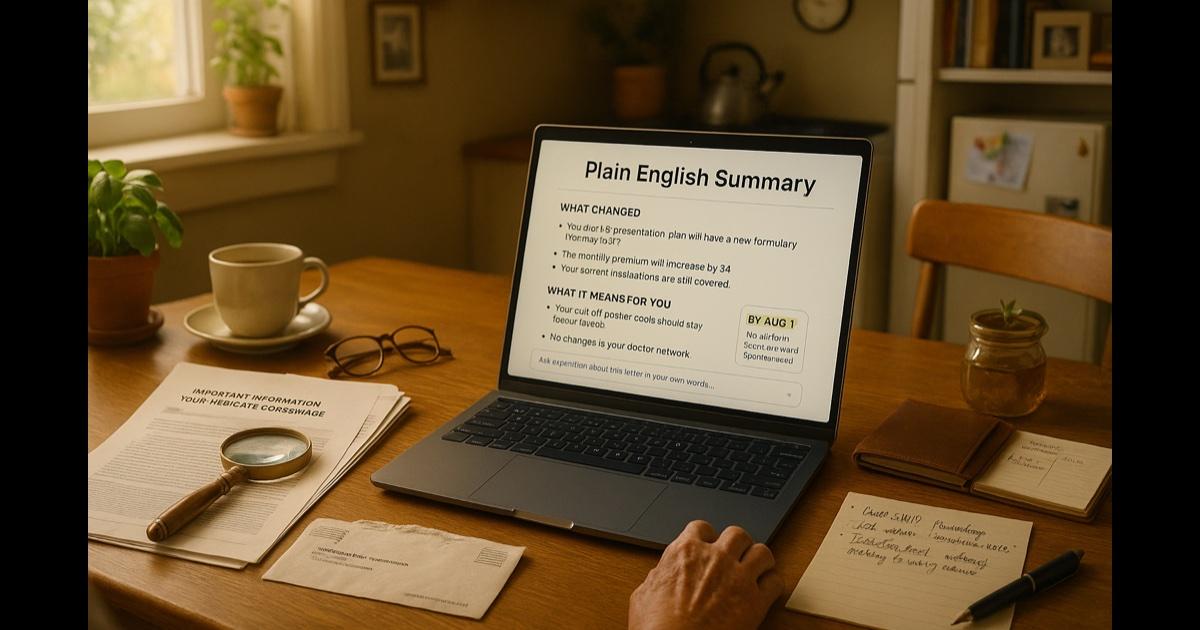
A large envelope arrived on Tuesday. You knew it was official by the weight. You opened it at the kitchen table after lunch. Twelve pages. Tiny font. The letterhead says Medicare — or maybe your Part D plan, or your Medigap carrier, or the Social Security Administration, or a hospital's billing office. They all look the same at first glance. All of them use the same nine-letter words to say something that, in plain English, would fit on one page.
Page one thanks you for your continued coverage. Page two says something has changed. Page three introduces a new acronym. Page five lists the effective date. Page seven compares your old plan with your new plan using a chart that would require a second magnifying glass. Page eleven tells you that if no action is required on your part at this time, you need not respond — a sentence that leaves you wondering if action is required.
This happens to millions of people every month. And most of them call a son or a daughter or a neighbor, wait a few days, and then together pick through the letter over the phone. That's fine. But it shouldn't be the only option. You understood complicated letters your whole working life. A change in the font size shouldn't change who's in charge of your own paperwork.
The move: turn the twelve-page letter into a one-page plain-English summary — your own.
You upload the letter. The tool reads it. You get back: what changed, what it means for you, and what you need to do (with the deadline). In plain English. In a font you can read. With the source pages cited so you can double-check any claim yourself.
Then you ask it questions — the questions you would ask a neighbor — and you get answers. Not sales pitches. Not scripts. Answers.
You decide what to do next. On your own terms.
The playbook
Step 1: open the tool (one minute)
Open CorpGPT on whatever you already use — a laptop, an iPad, your phone. The free tier is enough for this. You do not need a credit card.
If the letters on the screen are small, use the browser's zoom — on most devices, hold Ctrl (or ⌘) and press + a few times. The tool respects your settings.
Step 2: upload or photograph the letter (two minutes)
If you have the letter as a PDF (sometimes your Medicare account or insurance portal lets you download one), upload the PDF.
If you have it as physical paper, use your phone camera to take a clear photo of each page. Make sure the whole page is in frame and the text is readable on your phone before you move to the next page. Upload the photos.
Give this little project a name — for example, "Medicare letter — June 2026" — so you can find it again next month.
Step 3: ask for the plain-English summary (one minute)
Type this, or something like it, into the assistant:
"Please read this letter and give me a one-page summary with three sections: (1) What changed? (2) What does it mean for me? (3) What do I need to do, and by when? Use plain English. Large text."
That's it. In under a minute, the AI PDF summarizer reads the whole letter and hands it back to you in plain English as a clean summary. Big, readable font. The three sections are clearly labeled. At the bottom, there's usually a deadline in bold if there is one — or the phrase "no action required by the deadline" if there isn't.
Every claim in the summary points to the page of the letter where it came from. If you ever want to verify something ("does the letter really say that?"), you can click or tap to see the exact paragraph.
Step 4: ask your own questions
Now the tool becomes the patient person who has actually read the letter. Ask it anything, the way you'd ask a neighbor:
- "Will this cost me more starting in July?"
- "Do I need to do anything before August 1st?"
- "Is this the same as the letter I got in January?" (if you've uploaded that one, too)
- "Does this affect my prescriptions?"
- "Is there a phone number I should call? Is it real?"
- "This looks like maybe a scam. What do you think?"
You get plain-English answers. If the letter does not say something, the tool says so — it will not invent an answer. If something in the letter looks suspicious (unusual phone numbers, pressure to "call now," requests for bank details), the tool will flag it.
Step 5: decide what to do next
Sometimes the answer is "nothing — this is just informational." Sometimes it's "call this official number by August 1st to confirm." Sometimes it's "consider talking to your SHIP counselor" (that's the free state health-insurance counseling service — every state has one). Sometimes it's "this might be a scam; here's how to report it."
You are the decider. The tool just cleared the fog.
Step 6: save it for next time
Every letter you upload stays in your account (private to you). Three months from now, when the next letter arrives and says "as previously notified," you can ask the assistant: "What did they previously notify me of?" And you get the earlier summary, not a shrug.
Two years from now, you have a simple record of every policy change, every coverage letter, every benefits update — in plain English — that you can hand to a doctor, a family member, or an advocate if you ever need to. This is quietly one of the most useful things an older adult can build.
Beyond the one letter
Medical bills that make no sense
Every hospital bill comes with an "Explanation of Benefits" that is, famously, the opposite of an explanation. Upload it. Ask "Did my insurance pay? What do I actually owe? Is this the amount that was on the earlier bill, or a different one?" You get a clear answer. You also get a printable one-page summary you can bring to the hospital billing office if you want to dispute something.
Prescription drug plan changes
Every fall, Medicare Part D plans change which drugs they cover and at what cost. Upload your plan's Annual Notice of Change. Ask: "Does my [medication name] still have the same cost next year? Are any of my medications moving to a higher tier?" You get a quick answer without reading 40 pages.
Scam letters
Seniors are targeted with official-looking mail that is not, in fact, from Medicare or Social Security. Upload any letter you're unsure about. Ask: "Is this real? What gives it away if it's not?" The tool checks for the telltale signs — pressure language, unusual return addresses, requests for Social Security or banking information — and tells you plainly.
Voting materials and ballot measures
Thick voter guide arrives. You want to read it yourself, not have someone tell you what to think. Upload it. Ask: "Summarize each ballot measure in two sentences — what it is, and what a yes vs. a no vote means. No opinion. Just the plain facts." You decide.
A family member's letter
Your son or daughter moves their family across the country. A letter arrives at their old address addressed to them. You can upload it, summarize it, and forward them the plain-English note: *"Here's what the letter said — here's the deadline." Neighbors help each other out. So do families.
A neighbor who needs a hand
You help a neighbor understand their own letter. You are now the person in the building who knows how to make paperwork legible. That is a quiet dignity worth keeping.
The features doing the work
Digital Assistant (Nova) — your plain-English reading companion. Answers your questions. Cites the letter. No jargon. No sales pitch.
Knowledge Studio — one-page summaries of long letters, side-by-side comparisons of "my old plan vs. my new plan," printable one-pagers to bring to the doctor or the billing office.
Intelligent Search — find the letter from last March when this month's letter references it.
Live Recording — optional: if you have a call with a Medicare rep or your insurance company, you can record it (with their permission, as always) and get a clear written summary of what they told you, including any deadlines they mentioned.
Why this matters
Three quiet truths.
First, the people who most need plain-English help with paperwork are the ones most often denied it by systems that were not designed for them. A person who spent forty years reading engineering manuals, teaching algebra, running a shop, or raising four kids is not suddenly incapable of understanding their own letter. The font just got smaller and the jargon got thicker. Fix that, and everything else returns to normal.
Second, independence is the currency of aging well. Every task you can still do yourself is a task that doesn't pile onto a family member. Every decision you make without needing a translator is a decision that's still yours. Translators are wonderful — but they should be a choice, not a requirement.
Third, technology marketed to older adults has historically been condescending, expensive, and useless. This is a tool built for anyone — the same one a lawyer uses for contracts, a student uses for textbooks, a founder uses for investor decks. You deserve the same tool. You just want it to use bigger text.
What this can't do
Be honest.
The tool is not a Medicare agent, an insurance agent, a lawyer, or a doctor. It does not make financial or medical decisions for you, and it should not. It does not replace your SHIP counselor — if you have a complicated Medicare question, call SHIP for free, one-on-one help. It does not replace your own doctor when you have a health question. And it cannot know your whole life story; your family, your habits, your preferences are yours to add to the conversation.
What it does do is make the paperwork legible — quickly, in plain English, on your screen, at your pace. What you do with the information is up to you.
The bottom line
Medicare sent a letter. Twelve pages. Tiny font. Something changed. "Good luck."
Open CorpGPT. Upload the letter. Get it in plain English.
Understand your documents. Make your own decisions.
No one has to explain it twice.
Keep reading
- Your Kid Just Asked About Algebra. — for the grandkids who might need homework help.
- Three Investor Meetings. Three Different Decks..
- 47-Page Brief. Proposal Due Friday..
- Sixty Papers. One Lit Review. One Weekend..
- Sixty Videos In. Did I Already Post This?.
- Ninety-Minute Interview. Show Notes by Tuesday..
- Seventeen Transcripts. One Deadline..
- Brand Says Bold. Legal Says Careful..
- How Are You Different From [Competitor]?.
- 200 Resumes. One Hour..
- Answer Once. Help Forever..
- Another Meeting to Recap the Last Meeting.
- Client Deck Tomorrow. It's 8 PM..
- It's 9 PM and You're Not a Lawyer — for small business paperwork.
- Ten Minutes Between Sessions.
- Beat the Binder: The Nurse's Playbook.
- Claim Denied. Find the Clause..
- Two Minutes Before the Client Call.
- Tax Code Changed. Again..
- 200-Page Contract at 4:45 on a Friday.
- Doctors: Stop Charting After Hours.
- Answer 'Will I Qualify?' in Seconds.
- Turn One Chapter Into a Week of Lessons.
- Your Client Wants 30 Listings by Saturday.
- Cram 400 Pages Before Morning.
- See all use cases.
- Plans & pricing — free tier included, no credit card required.