Teaching & Education·March 10, 2026
Teachers: Turn One Chapter Into a Week of Lessons. The Sunday Playbook.
TL;DR
Sunday 8 PM. Three preps, five classes, one chapter. Here's the teacher's playbook to build a week of lessons — quiz, slides, prompts — from a single source.
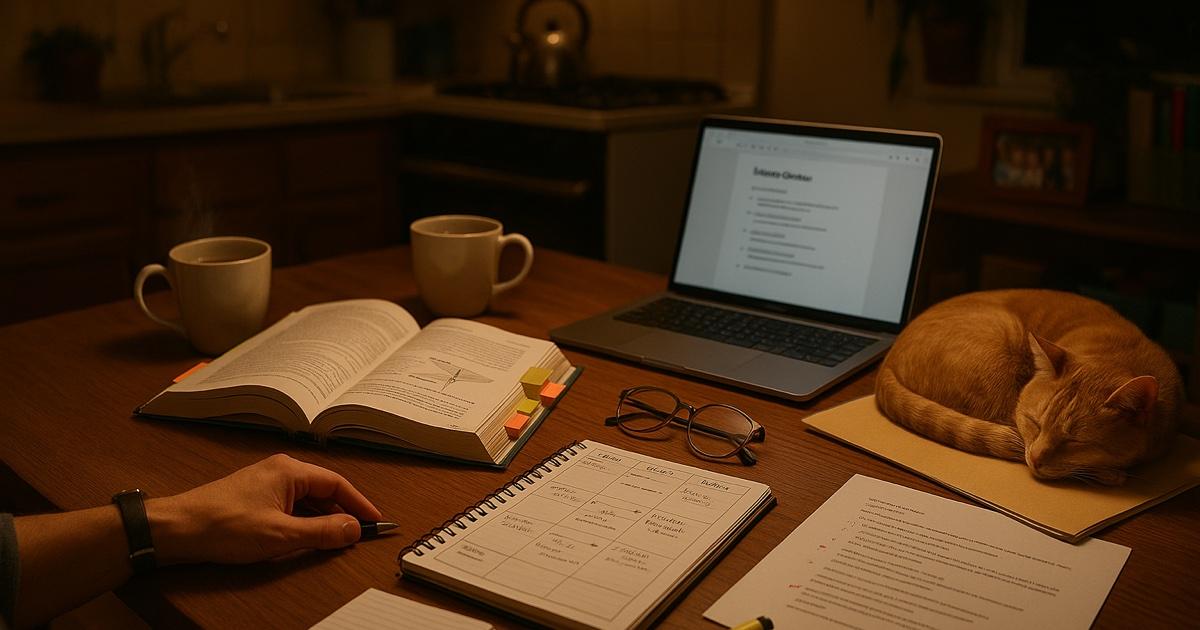
Sunday. 8:02 PM. You have three preps for tomorrow.
You teach five classes. You have one textbook chapter open. That's all you have. No quiz yet. No handout yet. No discussion questions yet. No slide deck yet. No flashcards for the kid who needs them. Definitely no differentiated version for the two students who need it to be a page shorter.
Somewhere in this pile is also next week's unit test, which you swore you'd have drafted by now.
You have been staring at Chapter 9 for forty minutes. You have made zero things.
Every teacher has this Sunday. Planning eats the weekend. Not because you don't know the material — you know it cold. It's the production layer. The translation from "I understand this" to "I have seven different artifacts for my students" is what takes four hours per prep, times three preps, times every Sunday, forever.
Here is what actually works.
The move: one source, many outputs
The mistake is building each teaching material from scratch. Typing up a study guide. Then separately writing a quiz. Then separately making flashcards. Then separately outlining discussion questions. All of them come from the same chapter. You end up re-reading the same twenty pages six times.
One read. One upload. Every artifact at once.
The playbook
8:00 PM. Upload the source (2 min)
Open CorpGPT. Drop in the chapter — PDF or scan of the textbook section. Drop in the pacing guide and the relevant curriculum standards too, if you have them.
While it processes, pour the tea. Put the cat somewhere.
8:05 PM. Generate the week's materials (20 min)
Open Knowledge Studio. This is where one source becomes many. Pick a process, click, done — each one takes under sixty seconds.
- Study Guide — a clean one-pager your students can take home. Key terms, main ideas, worked examples.
- Quiz — fifteen to twenty-five questions at the difficulty level you pick. Multiple choice, short answer, or both.
- Flashcards — definitions, key dates, formulas — whatever's in the chapter. The deck is ready for the students who learn that way.
- Mind Map — the concept map you keep meaning to draw on the board. Now it's already drawn.
- Discussion Questions — open-ended prompts tied to specific passages. Print on a half-sheet. Hand out Tuesday.
- Slide Deck — first draft of the lesson slides, structured around the chapter. You adjust the examples, re-skin it with your template.
- Executive Summary / Book Report — for the students who were absent, or the ones who need a one-page version.
- Infographic — a visual version of the main ideas for the visual learners. Want something for the wall? Spin the key points into a classroom poster the kids will actually glance at.
Eight outputs. Twenty minutes. You have not re-read the chapter. You did not have to.
8:25 PM. Interrogate the chapter (15 min)
Open the Digital Assistant (Nova) sidebar on the same screen. This is where you get specific.
Ask the questions you'd ask an experienced colleague if you had one:
- "What are the three hardest concepts in this chapter for a first-time reader?"
- "Find every example of photosynthesis in the text and list the page."
- "What does the chapter assume students already know?"
- "Which vocabulary terms are introduced without a clear definition?"
- "Which parts would a struggling reader get stuck on?"
Each answer comes back with a page citation. You click through to verify — this is your class, you're the one teaching it, so trust but verify.
You now know where to slow down Monday. You know which kid you're watching for. You know which paragraph to re-read aloud.
8:40 PM. Differentiate (15 min)
Ask CorpGPT to rewrite the study guide at a lower reading level for the students who need it. Ask for a challenge extension for the kid who's three grade levels ahead and bored. Ask for a vocabulary-only version for the ESL students.
You used to do this by hand, which meant you mostly didn't. Now every student gets the version that fits them.
8:55 PM. File it away (5 min)
Drop everything into a Knowledge Base folder named "Chapter 9 — [Unit Name]." Next year, when you teach this unit again, you pull up the folder in three seconds. Nothing is lost to the folder-nobody-can-find on your school Google Drive.
9:00 PM. Close the laptop
A week's worth of materials. One hour. You still get to watch a show.
And the stuff you built? It's the version of your teaching that you've been saying you'd do when you had the time. You finally have the time.
The features doing the work
Knowledge Studio — 33 capabilities, each under 60 seconds. Study guides, quizzes, flashcards, mind maps, slide decks, discussion prompts, infographics, executive summaries. All generated from the document you uploaded.
Digital Assistant (Nova) — plain-English Q&A over your uploaded chapter with page citations. The difference between "let me find it" and "here it is, page 247."
Intelligent Search — once you've built up a library of chapters, units, and materials over a year, you find anything by intent. "That activity I did last year on symbolism — it had a Venn diagram" → found.
My Tutor — not for the students — for you. Getting asked to pick up a section you haven't taught in five years? Upload the chapter, run a My Tutor session, and get a private refresher in twenty minutes. You teach it Monday like you taught it yesterday.
Live Recording — record your own lecture. Searchable transcript, shareable link for the absent students, and a record of what you actually said so you can reuse the phrasing that landed.
Why this actually works
Three forces are doing the real work.
First, one source, many outputs. You stopped rebuilding the same knowledge six times. The chapter is read once, processed once, and the artifacts are derivatives of the same base. Less work, more consistency — the quiz actually matches the study guide because they came from the same document.
Second, the tool is grounded in your source. It doesn't pull from the open web. Nothing is hallucinated. Every answer Nova gives is cited to a page in the chapter you uploaded. You can verify anything in seconds. That's what makes it safe to use in a classroom.
Third, differentiation becomes free. The single biggest thing teachers wish they had time for — giving every student a version that fits them — was a time problem, not a skill problem. The skill is yours. The time is what Knowledge Studio gives back.
What this can't do
Be honest about this.
CorpGPT doesn't know your students. It doesn't know that period 3 is a circus, period 4 is dead silent, and period 6 needs a break before the video. It doesn't know that Jordan responds better to open questions and Maya needs the handout read aloud. It doesn't know what landed last Tuesday. It doesn't know your classroom.
What it handles is the production layer. The typing. The formatting. The six-artifacts-from-one-chapter grind. The rest — the teaching, the reading of the room, the one sentence the kid is going to carry — that's still you.
The bottom line
Three preps. Five classes. One chapter. One hour on a Sunday.
You walk in Monday with the quiz, the study guide, the flashcards, the slide deck, the discussion questions, and a differentiated version for the kids who need it. All before 9 PM.
Open CorpGPT. Drop in Chapter 9. Move the cat.
Keep reading
- Cram 400 Pages Before Morning — the student side of the same Knowledge Studio — how they use quizzes and flashcards for an exam tomorrow.
- Doctors: Stop Charting After Hours — how physicians finish documentation before lunch instead of after dinner.
- 200-Page Contract at 4:45 on a Friday — how lawyers catch every trap in a weekend ambush and still make it to dinner.
- Your Client Wants 30 Listings by Saturday — how real estate agents review 30 disclosure PDFs in one afternoon.
- Answer 'Will I Qualify?' in Seconds — how mortgage brokers answer clients on the first call.
- Tax Code Changed. Again. — how accountants translate new tax rules into client-ready answers with citations in seconds.
- Two Minutes Before the Client Call — how financial advisors sound sharp on every unscheduled portfolio call with cited research.
- Claim Denied. Find the Clause. — how insurance agents pinpoint the exact exclusion in an 80-page policy and win the callback.
- Beat the Binder: The Nurse's 12-Hour Shift Playbook — how nurses turn hospital formularies and protocol binders into instant cited answers at the bedside.
- Ten Minutes Between Sessions — how therapists keep their clinical library, CE, and psychoeducation handouts one prompt away.
- It's 9 PM and You're Not a Lawyer — how small business owners review vendor contracts, catch red flags, and sign smart without a legal team.
- Client Deck Tomorrow. It's 8 PM. — how consultants synthesize four reports into a draft deck and pressure-test the story before midnight.
- Another Meeting to Recap the Last Meeting — how project managers record meetings and ship the summary, decisions, and action items in two minutes.
- Answer Once. Help Forever. — how HR managers turn the handbook into a self-serve, cited-answer assistant and finally take a lunch break.
- 200 Resumes. One Hour. — how recruiters surface signal from a 200-resume pile and walk into the hiring manager intake actually prepared.
- How Are You Different From [Competitor]? — how sales reps get instant cited battlecard answers mid-call and do the follow-up in five minutes.
- Brand Says Bold. Legal Says Careful. — how marketing managers ship campaigns on time with brand and legal both signed off.
- Seventeen Transcripts. One Deadline. — how writers turn a pile of interview transcripts into themes, pulled quotes, and a working outline.
- Ninety-Minute Interview. Show Notes by Tuesday. — how indie podcasters ship the entire post-production package from one upload.
- Sixty Videos In. Did I Already Post This? — how content creators turn their back catalog into a searchable content brain.
- Sixty Papers. One Lit Review. One Weekend. — how researchers turn a stack of PDFs into summaries, themes, citations, and gaps.
- Three Investor Meetings. Three Different Decks. — how founders tailor a pitch per investor.
- 47-Page Brief. Proposal Due Friday. — how freelancers turn dense briefs into proposals in hours.
- Your Kid Just Asked About Algebra. — how parents help with homework using the actual textbook.
- Medicare Sent a Letter. 12 Pages. Tiny Font. — how older adults turn any letter into a plain-English one-pager.
- AI quiz generator — quiz questions from any chapter in minutes.
- AI flashcard maker — turn any textbook or PDF into flashcards automatically.
- See all use cases — teachers, doctors, lawyers, brokers, agents, students, and more.
- Plans & pricing — free tier included, no credit card required.