Creative·April 14, 2026
Seventeen Transcripts. One Deadline. The Writer's Playbook.
TL;DR
17 interview transcripts. Friday deadline. Here's the writer's playbook to turn raw source material into themes, pulled quotes, and a working outline — fast.
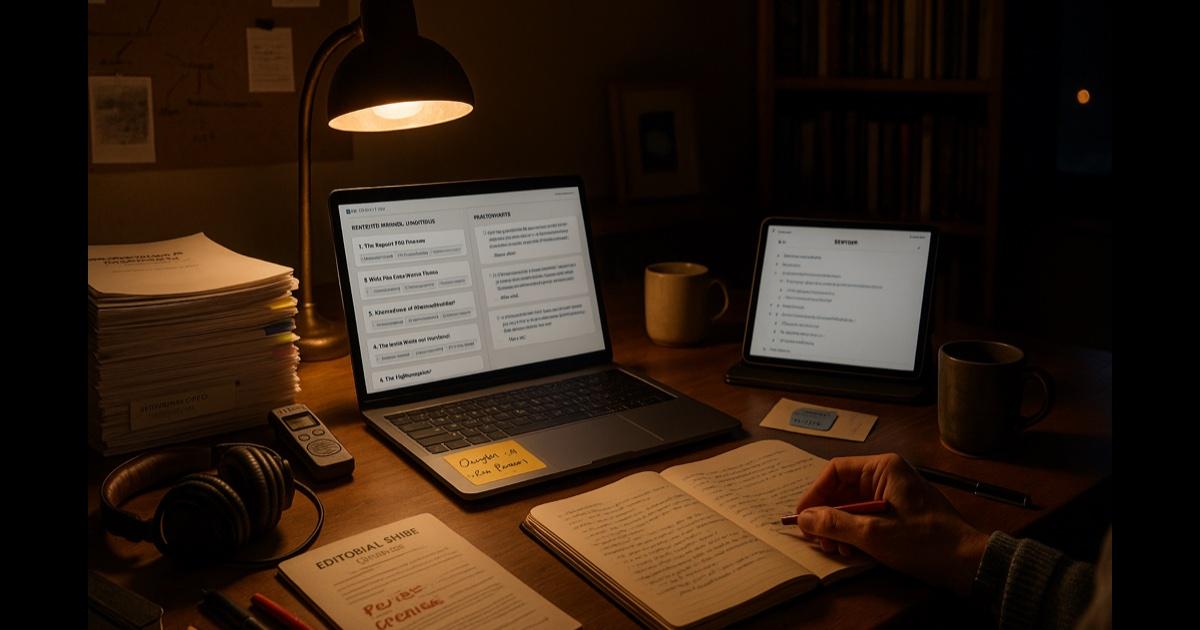
You have a book due. Or a long feature. Or a chapter. It doesn't matter. The specifics change. The shape of the problem does not.
On your desk or in your Dropbox you have:
- Seventeen interview transcripts — some clean, some machine-generated and messy, some you typed yourself at 2 a.m. two summers ago.
- A stack of handwritten notebooks with shorthand you can mostly read.
- A folder of PDFs — journal articles, book chapters, a government report nobody has opened since the Obama administration.
- A spreadsheet you made when you thought you were going to be organized about this project.
- A Google Doc titled "Notes" that has 87 pages and no structure.
- An email from your editor that ends, gently, with "any thoughts on timeline?"
The deadline is Friday. It is now Wednesday. You have not started.
This is not a productivity problem. This is a sorting problem. The material is all there. It is sitting in so many shapes in so many places that the first draft feels impossible not because you can't write — you can — but because you can't hold it all in your head at once. So you open a blank document, stare at the cursor, make another coffee, and refresh Twitter.
Here is what actually works.
The move: turn the whole raw pile into one searchable brain
You do not need to write more. You need to see your material. All of it. In one place. Cross-referenced. With the ability to ask questions of it.
Upload everything — every transcript, every PDF, every rough note, every email exchange, every prior draft — into a single Knowledge Base. Then stop reading and start asking. The themes, the quotes, the connections, the contradictions — they're all in there. Your job is to surface them, then make the judgment calls only you can make.
The playbook
Wednesday afternoon: load the brain (45 min)
Open CorpGPT. Create a Knowledge Base for the project: "[Project Name] — Source Material." Drop in:
- All interview transcripts — cleaned or raw, both work.
- Every PDF — journal articles, reports, book chapters, archival scans (even image PDFs; the OCR handles it).
- Your rough notebook transcriptions — typed-up shorthand, bullet points, voice memos turned to text.
- Prior drafts and outlines — yours, not the final-draft-caliber writing, but the thinking-out-loud documents you've already produced.
- Background research — the Wikipedia rabbit holes you screenshot-saved, the Substack posts you bookmarked, the email threads with the subject expert.
- The editorial brief, proposal, or outline — whatever the contractual shape of the project is.
For interviews you haven't yet transcribed — open Live Recording, drop in the audio, and turn the recording into a clean transcript in minutes. (With consent from the interviewees.)
Forty-five minutes. Now every word of raw material you've produced on this project is in one place and searchable.
Wednesday evening: let the material describe itself (1 hour)
Before you write a sentence. Open Knowledge Studio against the Knowledge Base. Ask for:
- A one-paragraph summary of each interview — so you can remember who said what without re-reading all seventeen.
- A cross-interview theme map — the top 8-12 themes that recur across the transcripts, with the speakers who touched each one.
- A pulled-quotes sheet — the best line on each theme, grouped by theme, cited back to the source and location.
- A "contradictions and tensions" document — where interviewees disagree, or where the official record conflicts with the primary sources. This is usually where the story lives.
- A proposed outline — for the chapter, article, or book, built from the themes, with suggested quote placements.
Each output is cited back to the transcripts. Nothing is invented. This is your raw material described, not written for you.
Print the theme map. Sit with it. Cross things out. Scribble in the margins. The act of reviewing the machine-generated map is itself the thinking — because now you're reacting to something instead of staring at a blank page.
Thursday morning: interrogate the material (30 min)
Open the Digital Assistant (Nova). Ask the questions a good editor would ask you:
- "What did every interviewee say about [the central tension of the project]?"
- "Who, across all the transcripts, was the most specific about [specific scene or fact]?"
- "Find every instance where someone mentions [person / place / date]."
- "Which interviewees contradicted each other, and on what points?"
- "What's the earliest and latest date mentioned in the source material?"
- "Pull every anecdote that involves [theme]."
- "Whose voice is strongest on [topic] — most quotable, most specific?"
Each answer is cited — speaker, document, position. You're not hunting through a 47-page transcript to find the quote you half-remember. You're asking a question and getting the answer in five seconds, with the receipt attached.
This is the part where a week of work becomes an afternoon. Not because the writing is faster. Because the hunting is over.
Thursday afternoon: draft the chapter (4 hours)
Now you write. But you're writing with the material visible. Not from memory. Not from a blank document. You have:
- The theme map taped to the wall.
- The pulled-quotes sheet open in a second window.
- Nova open in a third, so when you need to check "did anyone actually say that about August of '09?" you get the answer in three seconds.
- Your outline in front of you.
You write the way writers have always written — sentence by sentence, voice on — but without the tax of holding seventeen transcripts in your head.
The draft comes out. It's 70% of the way there. Your voice. Your structure. Your judgment. But the raw material is doing the work it should have been doing from the start.
Friday morning: fact-check and pressure-test (1 hour)
Before you send to the editor, one more pass through Nova:
- "For each quote in this draft, confirm it appears verbatim in the source transcripts."
- "Are there any claims in this draft that aren't supported by the source material?"
- "What's the strongest counterpoint to the central argument? Is it represented fairly?"
- "Did I leave out any interviewee whose contribution was significant?"
Fix what comes up. Now the draft goes out with a clean conscience — every quote verified, every claim grounded.
Friday afternoon: send it
You meet the deadline. Your editor opens the doc, reads it, and sends you an email that is longer than three words. That alone is a professional miracle. You go outside. It's still light.
Beyond the one chapter
Build a career-long writer's brain
The Knowledge Base doesn't get deleted when the project ships. Next project, new folder — but the searchable archive of your interviews, your sources, your past drafts becomes a compounding asset. Six years from now when a new editor asks "didn't you interview someone about this back in 2025?", Intelligent Search finds them in seconds.
Use My Tutor to learn the subject in 20 minutes at a time
You're writing about fiscal policy and you were a poetry major. My Tutor turns the five densest PDFs in your research folder into structured 20-minute sessions that bring you up to speed. The questions you can't ask the subject expert for fear of looking stupid — you ask the tutor, at 11 p.m., in your sweatpants.
Let Knowledge Studio handle the ancillary content
Once the chapter is written, the same Knowledge Base produces:
- The pitch letter for the feature version.
- The acknowledgments section (with every interviewee who actually appeared).
- The fact-check memo for the publisher's attorney.
- The book-club discussion questions.
- The Twitter thread when the piece goes live.
- The email to the interviewees with the quote you used, so they're not surprised.
Material you've already produced, shaped into the formats the world needs next. Not written for you. Drawn from what you already have.
Record every interview going forward
Live Recording becomes your default. You focus on the conversation. The transcript arrives in your Knowledge Base automatically. You never again hear yourself say "I'll transcribe it later."
The features doing the work
Knowledge Studio — per-interview summaries, cross-source theme maps, pulled quotes, draft outlines, fact-check memos, ancillary content. Each output under 60 seconds, grounded in your sources.
Digital Assistant (Nova) — cited answers to cross-interview questions. The "where did someone say X?" problem, solved.
Intelligent Search — find the quote, the scene, the anecdote by intent, not keyword. "The thing she said about her father" works.
Live Recording — interview transcription, with consent. Straight into your working brain.
My Tutor — structured 20-minute crash courses on your own research library. The subject-matter ramp you used to get by drinking coffee with a professor.
Why this actually works
Three forces are quietly doing the work here.
First, long-form nonfiction is a retrieval problem disguised as a writing problem. You have the material. You're not stuck on the sentence — you're stuck on not being able to find the three lines across seventeen transcripts that belong next to each other. The search-and-citation layer is exactly the tool the form has been missing since the tape recorder.
Second, blank-page paralysis breaks when the page is not blank. A machine-generated theme map and a pulled-quotes sheet are not writing — but they are something on the page that you can react to. Reacting is easier than generating. You start editing the theme map, then you start writing around the quotes, and at some point you're just writing. The trick is starting.
Third, citation discipline protects you. Every quote, every claim, every framing is traceable back to the tape. That's not just good craft — it's what keeps you safe when the subject calls, when the editor asks "where did this come from?", when the fact-checker has twenty questions, when a lawyer gets involved. The receipts were always the right answer. Now they're one click away.
What this can't do
Be honest.
CorpGPT does not write the chapter in your voice. It does not know which quote is the best quote, only which quotes exist and what they're about. It does not have taste, structure instincts, or ear for a good sentence. It does not feel the story. It does not know when a digression is load-bearing and when it's indulgent. It does not love the subject. All of that is still the writer.
It is, flatly, a very good research assistant. That's the job. The craft is still yours.
And: always disclose AI-assisted research tooling to your editor, your publisher, and where relevant, your interviewees. Transparency is cheap. Surprise is expensive.
The bottom line
Seventeen interview transcripts. One deadline. And you haven't started.
Drop them in. Get summaries, themes, pulled quotes, tagged to the source. Write the chapter. Hit the deadline.
Your editor will almost certainly not say thank you. But they will read the draft. Twice. And then they'll ask about the next one. That's as close to thank you as this job gets.
Open CorpGPT. Upload the pile. Write the chapter.
Keep reading
- Brand Says Bold. Legal Says Careful. — how marketing managers ship campaigns on time with brand and legal both signed off.
- How Are You Different From [Competitor]? — how sales reps get instant cited battlecard answers mid-call.
- 200 Resumes. One Hour. — how recruiters surface signal from a big applicant pile.
- Answer Once. Help Forever. — how HR managers turn the handbook into a self-serve assistant.
- Another Meeting to Recap the Last Meeting — how PMs ship meeting recaps in two minutes.
- Client Deck Tomorrow. It's 8 PM. — how consultants synthesize four reports into a draft deck before midnight.
- It's 9 PM and You're Not a Lawyer — how small business owners review vendor contracts.
- Ten Minutes Between Sessions — how therapists keep their clinical library one prompt away.
- Beat the Binder: The Nurse's 12-Hour Shift Playbook — how nurses turn formularies into instant answers.
- Claim Denied. Find the Clause. — how insurance agents pinpoint the exclusion.
- Two Minutes Before the Client Call — how financial advisors sound sharp on every call.
- Tax Code Changed. Again. — how accountants translate new tax rules.
- 200-Page Contract at 4:45 on a Friday — how lawyers catch every trap in a weekend ambush.
- Doctors: Stop Charting After Hours — how physicians finish documentation before lunch.
- Answer 'Will I Qualify?' in Seconds — how mortgage brokers answer clients on the first call.
- Turn One Chapter Into a Week of Lessons — how teachers build a full week of materials from one chapter.
- Your Client Wants 30 Listings by Saturday — how real estate agents review 30 disclosure PDFs.
- Cram 400 Pages Before Morning — the student version of the same playbook.
- Ninety-Minute Interview. Show Notes by Tuesday. — how indie podcasters ship the entire post-production package from one upload.
- Sixty Videos In. Did I Already Post This? — how content creators turn their back catalog into a searchable content brain.
- Sixty Papers. One Lit Review. One Weekend. — how researchers turn a stack of PDFs into summaries, themes, citations, and gaps.
- Three Investor Meetings. Three Different Decks. — how founders tailor a pitch per investor.
- 47-Page Brief. Proposal Due Friday. — how freelancers turn dense briefs into proposals in hours.
- Your Kid Just Asked About Algebra. — how parents help with homework using the actual textbook.
- Medicare Sent a Letter. 12 Pages. Tiny Font. — how older adults turn any letter into a plain-English one-pager.
- See all use cases — writers, marketers, sales reps, recruiters, HR, PMs, consultants, small business owners, therapists, nurses, doctors, insurance agents, advisors, accountants, lawyers, brokers, agents, teachers, students, and more.
- Plans & pricing — free tier included, no credit card required.